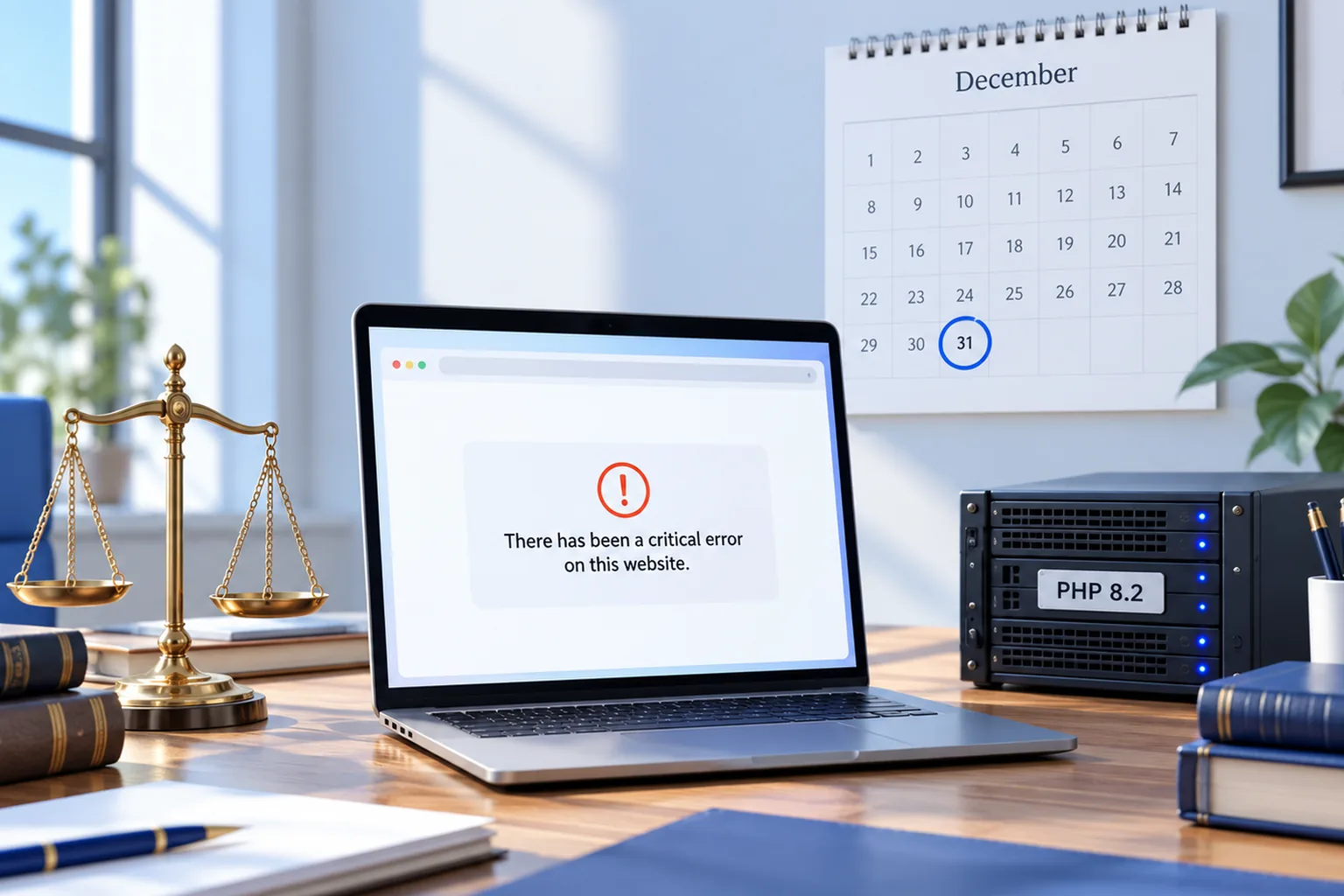
Short answer: probably not, unless someone has checked recently. PHP is the language WordPress runs on, and each version gets security fixes for a fixed period. PHP 8.1 lost that support on December 31, 2025, and PHP 8.2 loses it on December 31, 2026. Hosts move sites to newer versions to stay secure, and when they do, any theme or plugin that can't handle the new version can break the site. Visitors then see one line, "There has been a critical error on this website," instead of your homepage. Ten minutes of checking now tells you whether that's a risk for your firm.
I'm Ashikur Rahman, founder of Proximity Ranker. I work only with law firms, I hold an LL.B and an LL.M, and I've done SEO since 2017, including as former SEO Manager at Doctor Rank. I also build websites: a new site I worked on for a New York firm earned 104,000 Google impressions in its first three months. This post comes from what I saw while auditing law firm websites in October 2026, and it covers websites and marketing only. Nothing here is legal advice.
What is PHP, and why does your law firm's website depend on it?
WordPress is written in PHP. Every time someone opens a page on a WordPress site, the server runs PHP code from three places: WordPress itself, your theme, and every plugin you have installed. The server's PHP version is set by your host, and it changes over time whether or not anyone at your firm is paying attention.
WordPress core keeps up with new PHP versions well. Themes and plugins are the weak point. A law firm site built five or six years ago often runs a premium theme, a page builder and a long list of plugins for forms, sliders, chat, reviews and SEO. If even one of them was abandoned by its developer, it was never updated for newer PHP, and it's the one most likely to fail.
When does PHP 8.2 reach end of life?
The PHP project supports each version for four years: two years of bug fixes, then two years of security fixes only. After that, nobody patches it. Here are the dates from php.net as of October 2026.
- PHP 7.4 and 8.0: no longer supported for several years.
- PHP 8.1: security fixes ended December 31, 2025.
- PHP 8.2: security fixes end December 31, 2026.
- PHP 8.3: security fixes end December 31, 2027. This is the minimum WordPress recommends.
- PHP 8.4: security fixes end December 31, 2028.
WordPress itself still runs on PHP as old as 7.4, but that's the floor it tolerates, not what it recommends. Its developers recommend 8.3 or newer. If your site is on 8.2 or lower, it has about two months of security fixes left.
How many WordPress sites still run old PHP?
More than most owners would guess. Censys, a security research company, scanned 316,500 WordPress sites in mid-2026 that publicly showed their PHP version, and only about 30% were on a supported one. The most common version it saw was PHP 7.4, which stopped getting fixes years ago. WordPress.org's own statistics, as reported in September 2026, put the share of installs on end-of-life PHP at 37.6%. The two numbers measure different groups of sites, but both say the same thing: a large share of WordPress sites run software nobody is patching.
Law firm sites are no exception. They tend to be built once, launched, and then left alone while the firm gets on with practicing law. That's understandable. But the site is software, and the server under it keeps changing.
What happens when your host upgrades PHP and the site breaks?
Since version 5.2 in 2019, WordPress catches fatal PHP errors instead of showing a blank white screen. Visitors see the message "There has been a critical error on this website," and WordPress emails the site's admin address a link to a recovery mode where the faulty plugin or theme can be paused. That email often goes to a web designer who left years ago, or to an inbox nobody reads, so the firm finds out from a client, or not at all.
I saw exactly this on October 12, 2026, while checking personal injury firm sites. One firm had nearly two hundred five-star Google reviews, all sending people to a website where every page showed WordPress's critical error message. I emailed the firm a heads-up. Anyone who looked the firm up that day and tapped the website link landed on that message.
Google notices too. If a site returns server errors for long enough, Google crawls it less and can drop its pages from the index. A short outage usually recovers. One that runs for weeks because nobody saw it can cost rankings that took years to build.
Is staying on old PHP safer than upgrading?
No. Staying put trades a visible risk for a hidden one. An unsupported PHP version gets no security fixes, and WordPress sites are attacked constantly. Patchstack, which tracks WordPress security, counted 11,334 new vulnerabilities in the WordPress ecosystem in 2025, up 42% on the year before, and 91% of them were in plugins. Old PHP plus old plugins is the combination attackers look for.
Hosts know this, which is why many move customers to newer PHP on their own schedule. Some send warnings first. Some don't. Either way, the question isn't whether your site will run on newer PHP one day. It's whether you find out it can't before your clients do.
How can you check your site's PHP version today?
You don't need a developer for the first look. Here's what I check first when I audit a firm's WordPress site.
- In the WordPress dashboard, open Tools, then Site Health. The Info tab, under Server, shows the PHP version. The Status tab warns you if it's outdated.
- In your hosting control panel, look for a PHP version or PHP settings page. It shows the current version and often the date the host plans to change it.
- In Plugins, look at each plugin's details for its last update date. Anything not updated in two years or more is a risk on new PHP.
- Check your theme the same way. If it came from a marketplace and the developer has stopped releasing updates, treat it as abandoned.
- Find out which email address gets WordPress's admin alerts (Settings, then General). Make sure a real person at the firm reads it.
If you're on PHP 8.3 or newer and every plugin has been updated this year, you're in good shape. If you're on 8.1 or 8.2 with a handful of stale plugins, test before your host forces the switch. A good host offers a staging copy where you can change the PHP version and click through the site without touching the live one.
Not sure what your site runs on, or what would break? The audit checks it.
Get the auditShould you repair your WordPress site or rebuild it?
Repair when the foundations are sound. If your theme is maintained, your plugins are current and the site loads quickly on a phone, updating PHP is routine. A developer tests on staging, swaps out the one or two plugins that misbehave, and you're done for another couple of years.
Rebuild when the foundations are the problem. Signs include a theme nobody has updated since around 2020, a page builder stacked on top of it, twenty or more plugins doing small jobs, slow load times on a phone, and practice pages that were never written properly in the first place. Paying to keep that running on new PHP means paying again the next time PHP moves on, and the site still won't bring in cases. In my audits, the sites with PHP risk usually had marketing problems too: missing practice pages, blank page titles, buttons that led nowhere.
Why do I build law firm sites without WordPress?
The sites I build are custom-coded React sites, not WordPress themes. There's no PHP version for a host to change, no plugin list to keep patched, and no admin login for attackers to guess. The pages are rendered as plain HTML on the server, which matters more than it used to, because the crawlers behind ChatGPT and Claude don't run JavaScript the way Google does. A page has to show its text without help, and these pages do.
WordPress runs a huge share of the web, and a well-kept WordPress site is fine. My point is narrower: a firm that doesn't want to think about PHP versions, plugin updates and security patches is better served by a site that doesn't have them. Every site I build comes with the same SEO groundwork as my monthly work: one page per practice area, page titles written for real searches, markup that tells search engines who the firm is, and fast loading on a phone.
What does a new law firm website cost, and when is it free?
Bought on its own, a website is $799 for up to 10 pages, $1,599 for up to 25 and $2,599 for up to 50. Half is paid before work starts and the rest at launch. A site bought this way goes on your hosting, and you own the code from day one.
It's free, at any of those sizes, when a firm commits to six months of the SEO plan. The plan is $799 a month for the first five firms, a founding rate that doesn't rise while the firm stays, and $1,199 a month after that. A free site is built and hosted on my account and connected to your domain. It stays on my account until month six, and after that every file is yours to take wherever you like. Leaving before month six means paying the price of the size that was built. The website design page shows how the build works, and the pricing page lists every term.
What else do law firm owners ask?
01Will my law firm's website stop working on January 1, 2027?
Not on that date by itself. PHP 8.2 doesn't switch off; it stops getting security fixes. The risk comes when your host moves the site to a newer PHP version, and an old theme or plugin can't run on it. Check your PHP version and plugin update dates now so the switch doesn't surprise you.
02What does "There has been a critical error on this website" mean?
It means WordPress hit a fatal PHP error, usually from a plugin or theme, and stopped loading the page. WordPress emails the site's admin address a recovery link to pause the faulty code. After a PHP upgrade, an outdated plugin is the most common cause.
03Can I ask my host to keep my site on the old PHP version?
Sometimes, for a while. But an unsupported PHP version gets no security fixes, so you'd be keeping an unpatched server running a site that carries your firm's name. It's a short delay to buy time for testing, not a plan.
04How long does it take to update a WordPress site to PHP 8.3?
For a well-maintained site, a few hours of testing on a staging copy. For a site with an abandoned theme or several outdated plugins, it can take days, and some parts may need replacing. The audit tells you which kind of site you have.
05Will moving off WordPress hurt my Google rankings?
Not if the move is planned. Every old address needs a permanent redirect to its new page, and page titles and content need to carry over or improve. Rankings dip when redirects are skipped, not because the platform changed.